Thunder Documentation

Installation and wiring

Security information
  1. tg1132 Cabling.pdf tg1132 Cabling.pdf Equipment intended for use in a restricted access area only

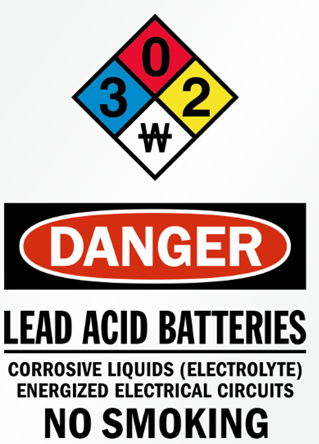
  2. The supplied resistors and fuse limit the discharge current to 15 A

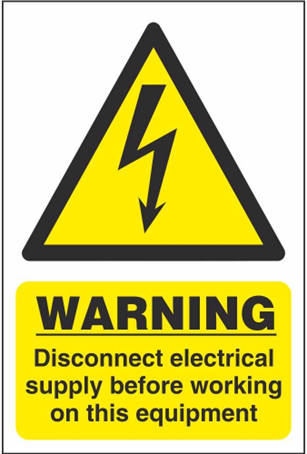
  3. The 120 VAC power must be disconnected during any intervention inside the enclosure

  4. Replacing a BATTERY with an incorrect type may compromise a SAFETY measure (see Maintenance section for replacement)

  5. Disposing of a BATTERY in fire or a hot oven, or mechanically crushing or cutting it, may result in an EXPLOSION

  6. Leaving a BATTERY in an environment with extremely high temperature may result in an EXPLOSION or leakage of flammable liquid or gas

  7. A BATTERY subjected to extremely low atmospheric pressure may result in an EXPLOSION or leakage of flammable liquid or gas

image-20260403-143931.png


7483c7b8-f7bb-4e29-8157-eba699a6ae62.png


Cabling architectures

Low-Rise

image-20260403-144504.png

High-Rise

image-20260403-144515.png


1. Mount the enclosure on the wall
  • Remove the batteries from the enclosure

  • Mount the enclosure securely to the wall using four screws

  • Reinstall the batteries after installation

image-20260403-140808.png
2. Wiring
TG1132

TG1132 Cabling Schematics.pdf

Install the equipment with a 15A circuit breaker. It is recommended to use an emergency power supply if available.

image-20260403-145454.png


NOTICE!! The 120 VAC power must be disconnected during any work inside the enclosure

  1. Connect the ground wire to the screw located at the bottom of the enclosure

  2. Connect the 120 VAC Line (L) and Neutral (N) to the terminals at the bottom of the enclosure

  3. Connect ELL, ELH, and Shield using the twisted pair telephone cable to the Cabin # connector

  4. Connect LMA- and LMA+ (#1) to the communication failure alarm panel in the firefighter recall system

  5. Connect the customer network to port 2 of the router (labeled WAN)

  6. Ensure the enclosure switch is in the OFF position

  7. Connect the battery

  8. Restore the 120 VAC power supply

  9. Turn the enclosure switch to ON

image-20260403-145510.png
image-20260403-145526.png
TG1232

TG1232 Cabling Schematics.pdf

Install the equipment with a 15A circuit breaker. It is recommended to use an emergency power supply if available.


  1. Connect the ground wire to the screw located at the bottom of the enclosure

  2. Connect the 120 VAC Line (L) and Neutral (N) to the terminals at the bottom of the enclosure

  3. Connect ELL, ELH, and Shield using the twisted pair telephone cable to the Cabin # connector

  4. Connect LMA- and LMA+ (#1) to the communication failure alarm panel in the firefighter recall system

  5. Connect the twisted pair coming from the lobby phone to ELL, ELH

  6. Ensure the enclosure switch is in the OFF position

  7. Connect the battery

  8. Restore the 120 VAC power supply

  9. Turn the enclosure switch to ON


TP1002

TP1002 Cabling Schematics.pdf

Install the equipment with a 15A circuit breaker. It is recommended to use an emergency power supply if available.


  1. Connect the ground wire to the screw located at the bottom of the enclosure

  2. Connect the 120 VAC Line (L) and Neutral (N) to the terminals at the bottom of the enclosure

  3. Connect ELL, ELH, and Shield using the twisted pair telephone cable to the Cabin # connector

  4. Connect LMA- and LMA+ (#1) to the communication failure alarm panel in the firefighter recall system

  5. Connect the twisted pair coming from the lobby phone to ELL, ELH

  6. Ensure the enclosure switch is in the OFF position

  7. Connect the battery

  8. Restore the 120 VAC power supply

  9. Turn the enclosure switch to ON

Click to expand...


Wiring


Mount the supervisor to the wall. Install the cabin phone inside the cabin.

Step

validation

Wriring

Connect the supervisor according the following diagram.

Step

Validation

Start-up

Step

Validation