
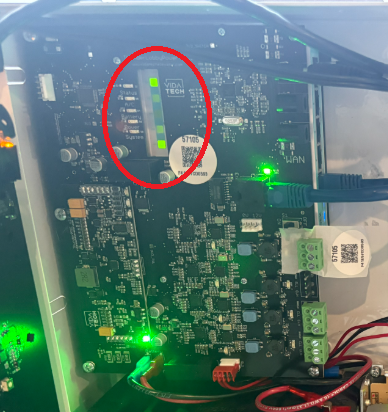
LED 1,5 ON and 2 OFF
Validate that Customer network is connecter to Port 2
Validate the the customer network is good with a computer
Validate that the customer network support 100Mbps connexion
LED 1,2,5 OFF
-
Verify that the TP1002 Power is ON (Power LED next to the touchscreen should be ON) (Troubleshoot)
-
Check the “PWR” LED located next to the Router connectors
-
if OFF → The Router has no supply. Please Verify your connection between the router and the Gateway. Then call our technical Support : 1-418-476-4802
-
if ON → Call our technical Support : 1-418-476-4802 and ask for the Router Reset procedure
-