
Thunder Documentation

Gateway Cabin LED OFF

Read the voltage between ELH and ELL
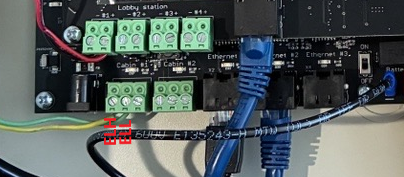
Disconnect all the “Cabin” connector at the gateway and Read the voltage again

  1. 0V (Please call the technical Support)

  2. 54V (Troubleshoot)


TCxxxx validation

Validate your cable again (ELL/ELH inverted or short ?)

Connect your “Cabin” connector back in the Gateway

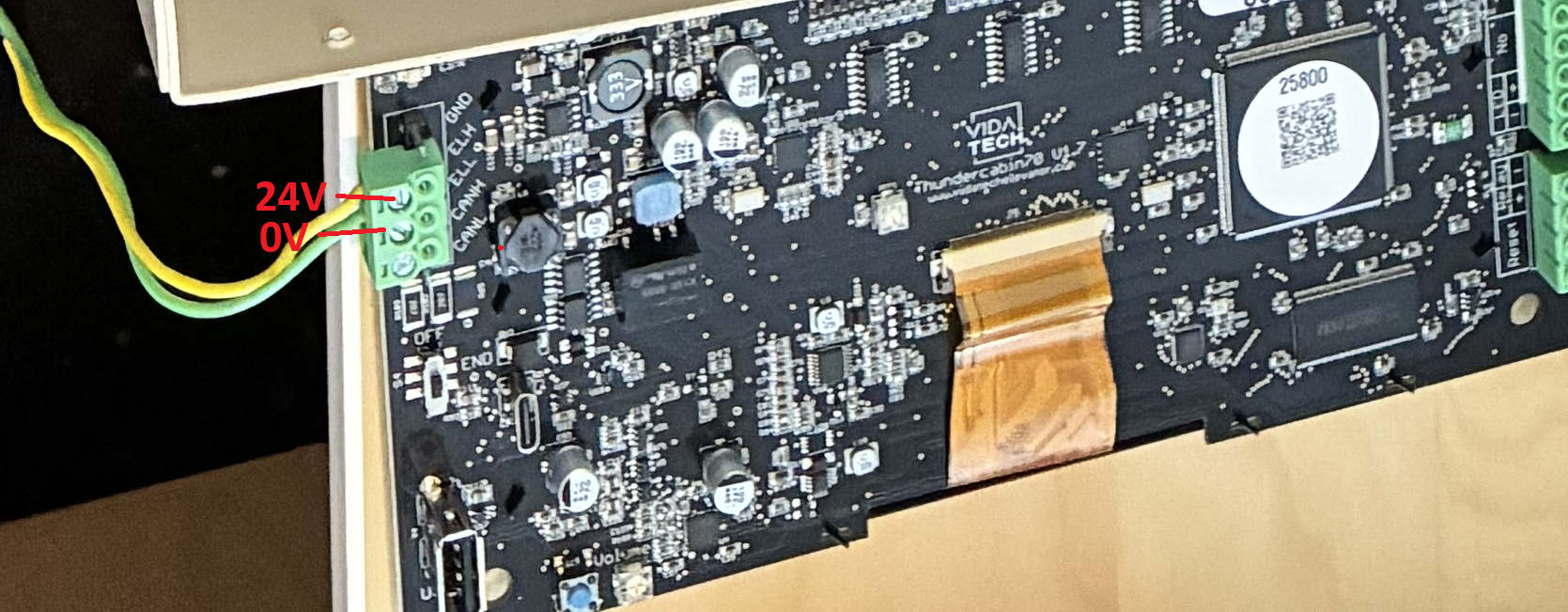
Go to the COP and try to supply the TCxxxx product with an external 24V supply voltage instad of ELL/ELH

  1. TCxxxx Working → Problem must be in the cabling

  2. TCxxxx not working → Please call technical support

TCxxxx LED Validation
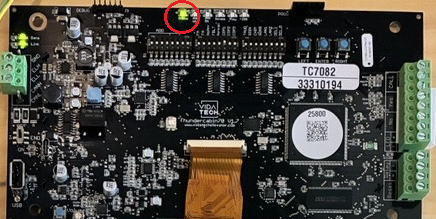
Status LED ON → Reset the TCxxxx and try again (Troubleshoot)

Status LED OFF (Troubleshoot)


Try TCxxxx next to the Gateway

Unmount the TCxxxx from the COP and try it next to the Gateway

if the Cabin LED still not working, then call the Vidatech technical support


Read the voltage between ELH and ELL on the TCxxxx

54V → Call Technical Support

0V (Troubleshoot)


Next step