
Measure the voltage at the LMA connector (Gateway)
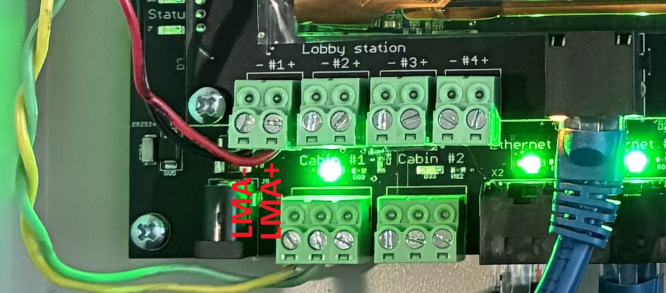
24V : Normal voltage in error
12V : Normal voltage not in error
0V : Try another output and link your devices to this new output
Measure the voltage at the LMA connector (LMA Side)
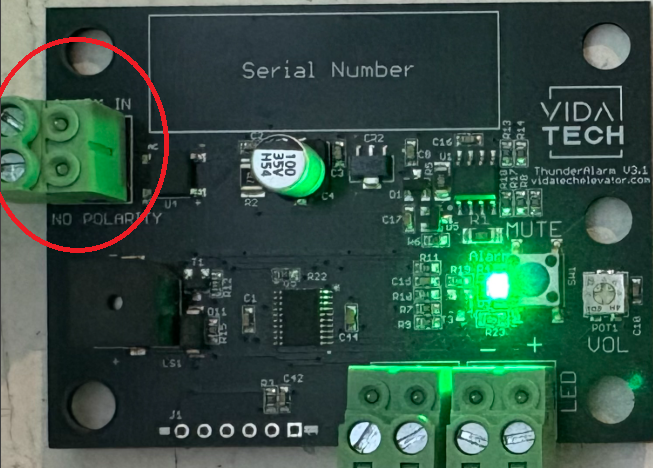
24V : Normal voltage in error (Contact technical support if LED is steady ON)
<20V : Voltage drop too high (Please validate cabling)