
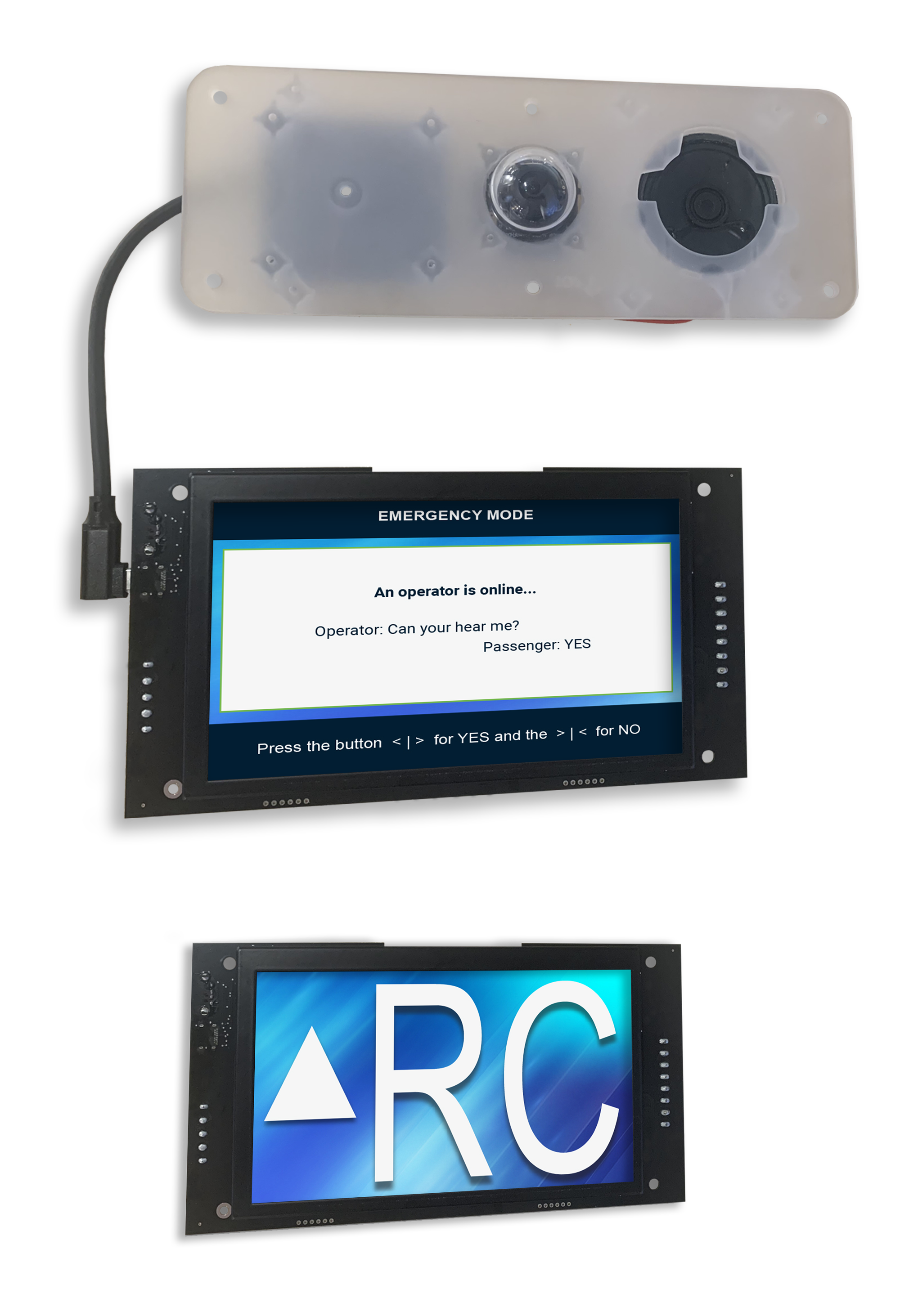
The TC7082 is a 7-inch Thunder emergency cabin phone. It combines emergency voice communication, real-time visual messaging, live video, a position indicator, and voice annunciation on a 1024 × 600 display.
The Thunder system is designed to support the emergency communication requirements of ASME A17.1-2019 / CSA B44:19, including communication features intended to assist passengers with hearing or speech impairments.
Key Features
-
Designed to support ADA and ASME A17.1/CSA B44 compliance.
-
Integrated camera with a wide-angle view of the elevator car.
-
Simplified COP installation using one cable for audio, microphone, and video.
-
Emergency voice communication with real-time visual messaging and live video.
-
7-inch color LCD with a 1024 × 600 resolution.
-
Integrated position indicator and voice annunciator.
-
Built-in device diagnostics for audio, video, communication, and other monitored functions.
-
Remote and USB firmware updates.
-
DIP-switch configuration.
Specifications
|
TC7082 |
|
|---|---|
|
Protocol/Standards |
TCP/IPv4, UDP/IPv4, HTTP, HTTPS/TLS, WebSocket, FTP, SIP RFC3291, SIPS RFC 5630, RTP/RTCP, STUN, SDES-SRTP, NTP, SSH, ICMP, ARP, DHCP, 802.1x |
|
Network Interface |
Dual switched 10Mbps ports |
|
Graphic Display |
7-inch color LCD, 1024 × 600 pixels |
|
LED Indicator |
1 LED for CAN status
|
|
Voice Codecs and Capabilities |
PCMU, G.711 μ-law 8 kHz mono, 64 kbits/s payload rate, VAD, AGC |
|
Video Decoders and Capabilities |
H.264, up to 720p at 30 fps, up to 1.5 Mbps |
|
Telephony Features |
1 External SIP account through VidatechStorm 1 Local SIP account |
|
QoS |
Layer 3 DSCP/DiffServ marking: SIP CS3 (24), audio RTP/RTCP EF (46), video RTP/RTCP AF41 (34); other traffic best effort. |
|
Security |
HTTPS/TLS-protected web management; configurable SIP TLS/SIPS and optional SRTP; random temporary administrator setup credentials; password-protected administrator web access; MD5-based SIP/web authentication compatibility; and AES-256-CBC encryption for selected SIP credentials. |
|
Multi-language |
English, French |
|
Upgrade/Provisioning |
Firmware upgrade via FTP, manual upload via USB |
|
Power & Green Energy Efficiency |
2-pin Energy Link input: 54VDC/0.228A
|
|
Temperature and Humidity |
Operation: 0 - 45 °C Storage: -20°C to 60°C Humidity: 10% to 90% Non-condensing |
|
Dimensions |
Screen: 378.6 x 283.3 x 45.5mm Camera module: 220 x 80 x 27.2mm |
|
Package Contents |
TC1582, quick installation guide, wall mount bracket |
|
Compliance |
ADA
|
|
Elevator Code Compliance |
ASME A17.1-2019
|
|
Wiring |
Energy Link 18/20 AWG Single Twisted Pair (Max 1000m) Canbus |
|
Flash Memory |
64 MB |
|
Speaker |
Speaker 8ohm 2W |
|
Microphone |
Omnidirectional electret condenser |
|
Warranty |
1 year from installation date |
Installation and Wiring Diagram
Back Interface
Use the rear DIP switches to configure the primary TC7082 settings. Additional settings and diagnostic functions are available through the onboard menu.
Device Address
Use the rear address DIP switches to configure the TC7082 device address. Each TC7082 connected to the same Thunder system must have a unique physical address.
Important: Power-cycle the TC7082 after changing its device address so the new setting is applied.
For system discovery and addressing information, see Device Discovery.
Screen Language
Use LAN1 and LAN2 to select the language configuration used during an emergency call.
|
Language Configuration |
LAN1 |
LAN2 |
|---|---|---|
|
English & French |
ON |
ON |
|
English only |
ON |
OFF |
|
French & English |
OFF |
ON |
|
French only |
OFF |
OFF |
Emergency Communication
During an emergency call, the TC7082 provides voice communication and visual messages on the cabin display. The passenger can also answer questions from the monitoring party using the Yes and No response buttons.
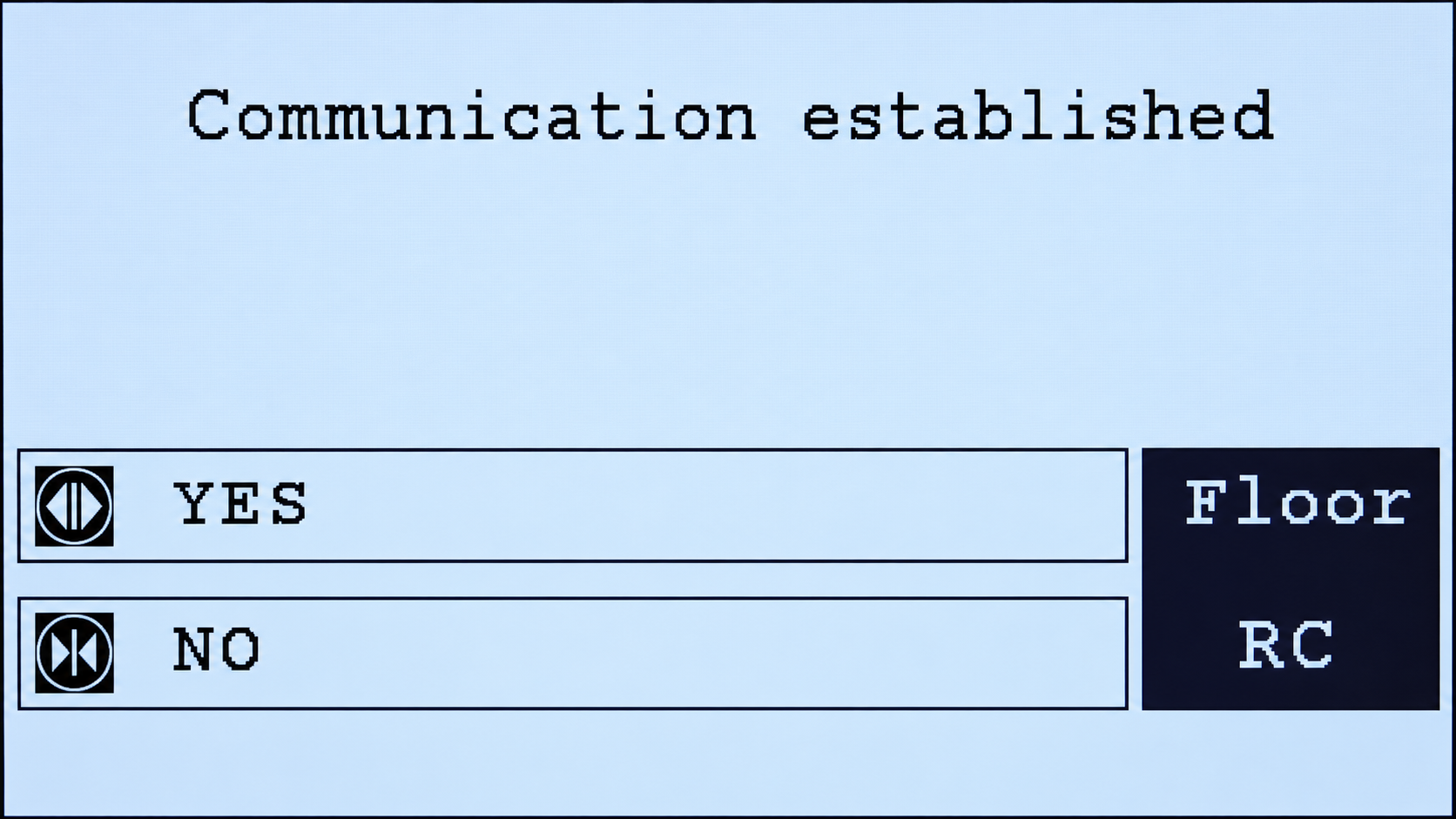
Show or Hide the Yes/No Icons
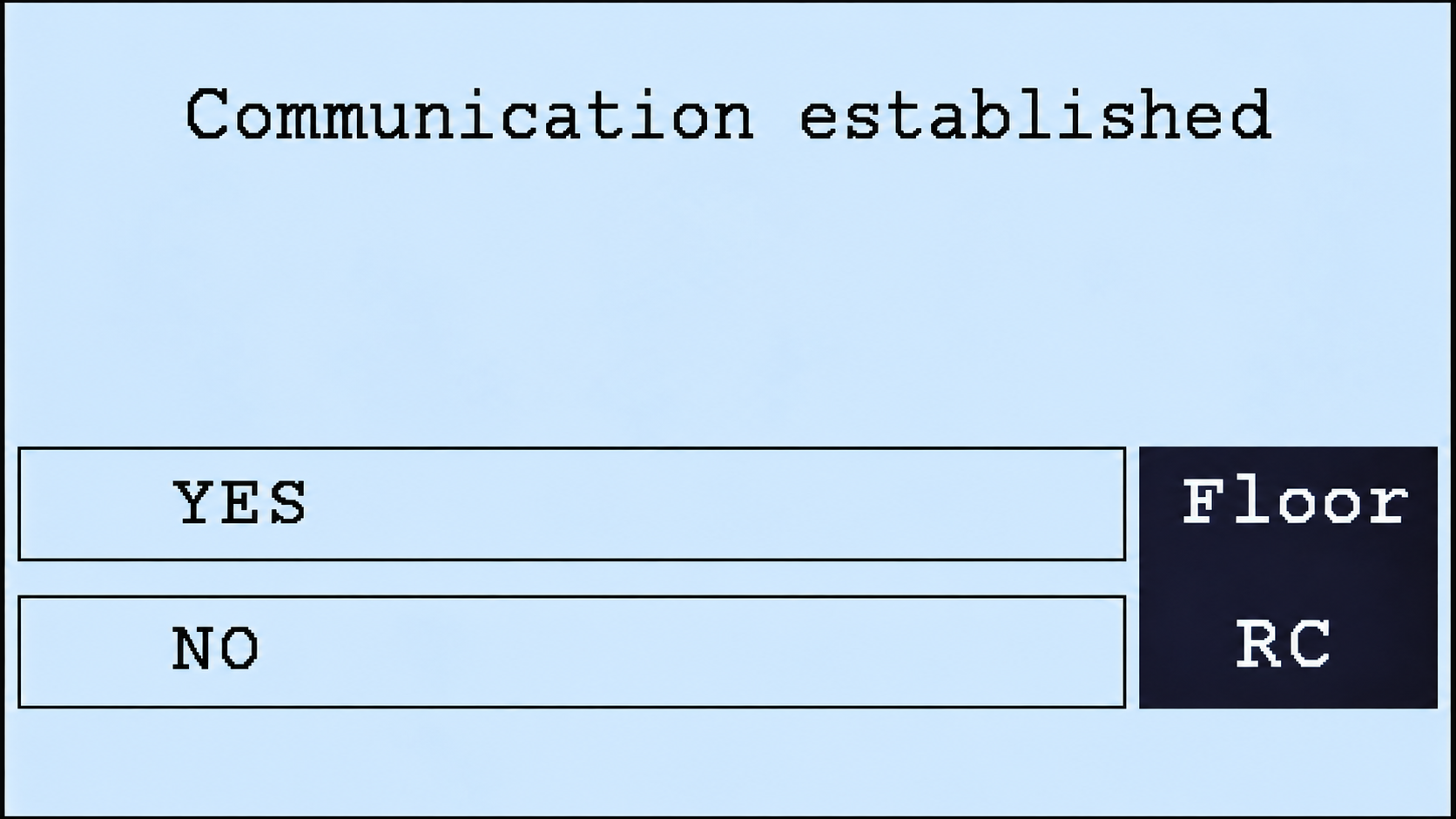
The Yes and No icons displayed during an emergency call can be shown or hidden.
The Yes and No icons are controlled together and cannot be shown or hidden individually.
To change this setting, open:
Menu → Phone Configuration → In Call Open/Close Door Icons
-
Select Show to display both Yes and No icons.
-
Select Hide to remove both icons from the call screen.
Customize Yes and No Answer Button Icons
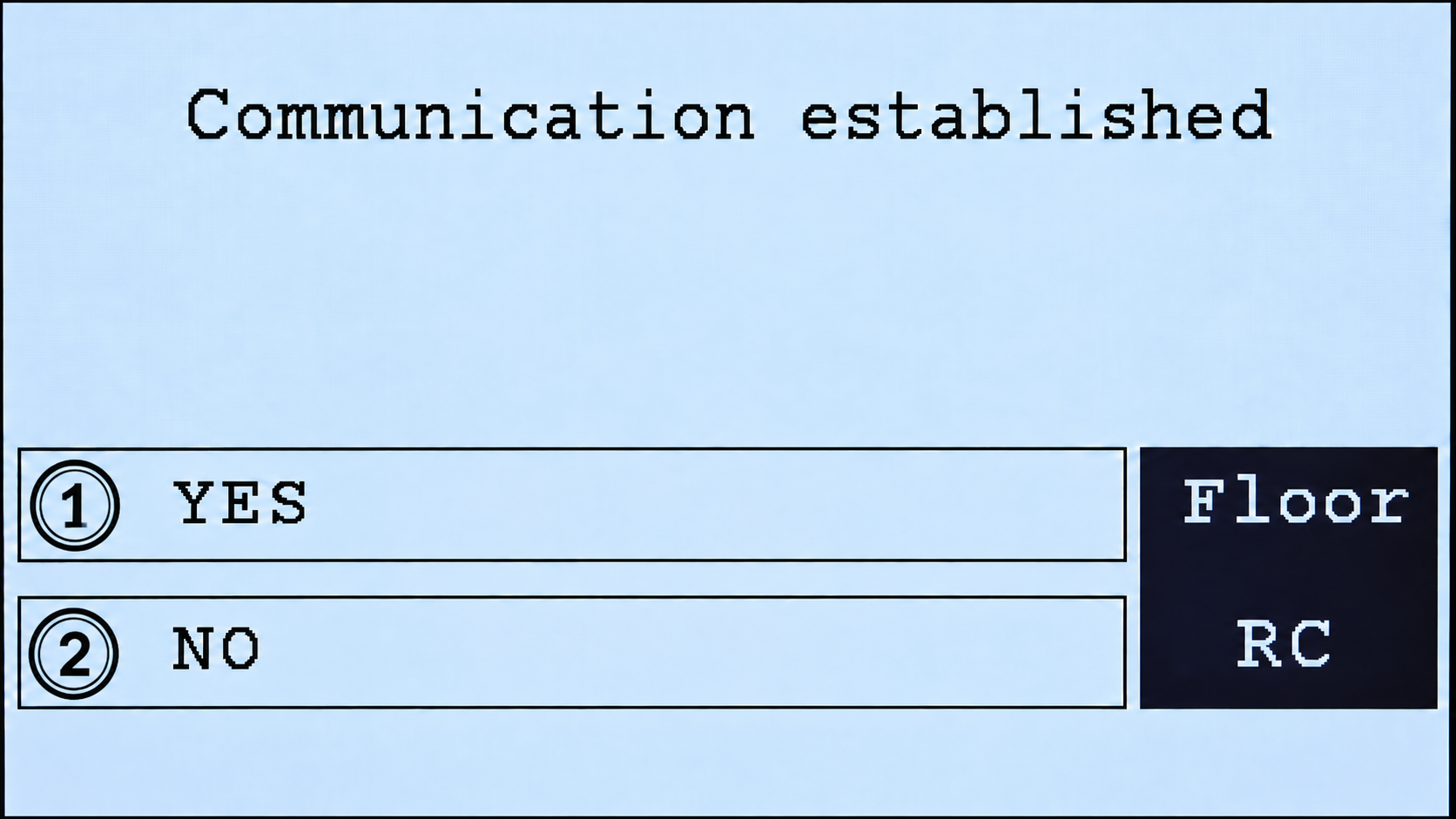
By default, the TC7082 uses open-door and close-door icons for the Yes and No response buttons. These icons can be replaced with custom images to better suit the installation or customer requirements.
Custom icons must be transferred to the TC7082 using a USB flash drive.
Both image files must meet the following requirements:
|
Parameter |
Requirement |
|---|---|
|
Supported file formats |
PNG, JPG, or BMP |
|
Image dimensions |
Exactly 48 × 48 pixels |
|
Yes icon filename |
|
|
No icon filename |
|
xxx represents the image extension: png, jpg, or bmp.
Important: The file must use the correct filename and be exactly 48 × 48 pixels. Otherwise, the TC7082 will ignore the custom icon.
Transfer Custom Icons Using a USB Flash Drive
Use a USB flash drive to transfer the custom Yes and No icons to the TC7082.
-
Prepare the Yes and No icon files in PNG, JPG, or BMP format.
-
Make sure each image is exactly 48 × 48 pixels.
-
Name the Yes icon
yes.xxxand the No iconno.xxx. -
Place both files at the root of the USB flash drive. Do not place them inside a folder.
-
Insert the USB flash drive into the TC7082.
Examples: yes.png and no.png, yes.jpg and no.jpg, or yes.bmp and no.bmp.
Firmware Updates
If the TC7082 is connected to a Thunder system with internet access, use the Thunder Supervisor to install available firmware updates. The TC7082 also supports manual firmware updates using a USB drive for service procedures.
For the standard update procedure, see Updates.
Related Product
The TC7082-DOME is a TC7082 variation that uses a dome camera mounted on the elevator car roof.