
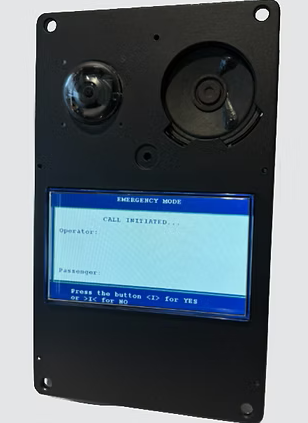
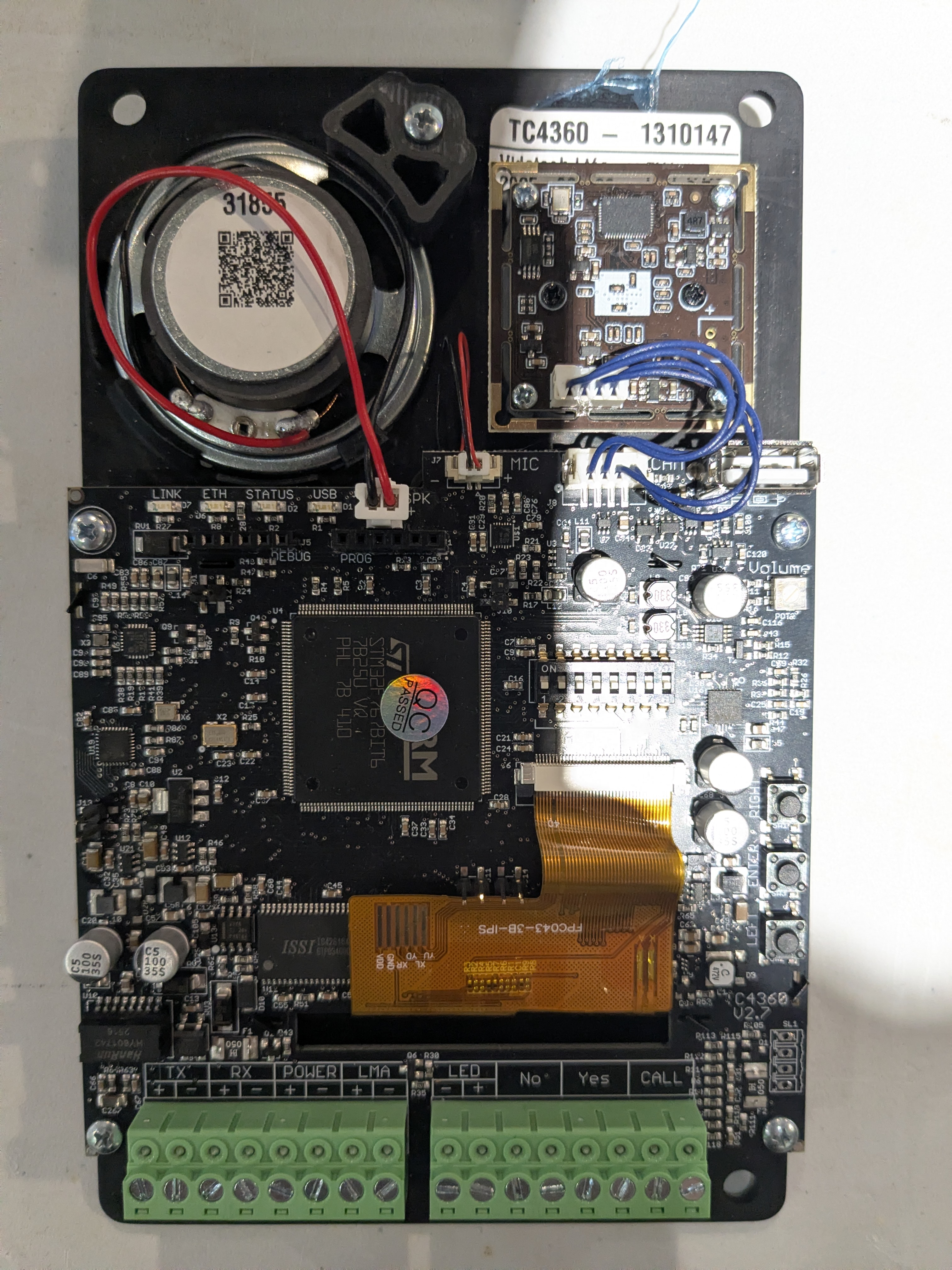
The TC4360 is an elevator emergency cabin phone designed for LULA systems. It includes a built-in camera and supports two-way communication between passengers and the monitoring center. The device is intended for installation inside the elevator cab.
When a user presses the emergency call button, the 4.3-inch touchscreen displays call status information and guidance messages to assist the passenger during the emergency call process.
The Thunder call system for LULA applications is designed to minimize configuration requirements and reduce the number of system components, simplifying installation and maintenance.
Quick Manual
Vidatech - TC4360 Quick Manual - EN.pdf
Key Features
-
ADA, ASME A17 & CSA B44 (2019) compliant
-
Clear voice communication, real-time visual messaging and live video feed
-
Camera providing a full cab floor view
-
Self-diagnostics compliant with code requirements
-
Simple installation in the COP: a single cable for audio, microphone and video
-
Enhanced security protocols
-
VoIP full-duplex
-
4.3” color LCD
Specifications
|
TC4360 |
|
|---|---|
|
Power |
12-24VDC Standy: 2.3W Conversation: 3W |
|
Alarm Source Maximum Delay |
Ethernet Connection Failure (port 2): 6 minutes Cabin Connection Failure (port 4): 1 second |
|
Warranty |
1-year warranty from installation date |
Installation and Wiring Diagram
Vidatech - LULA Installation Manual - EN.pdf
Back Interface
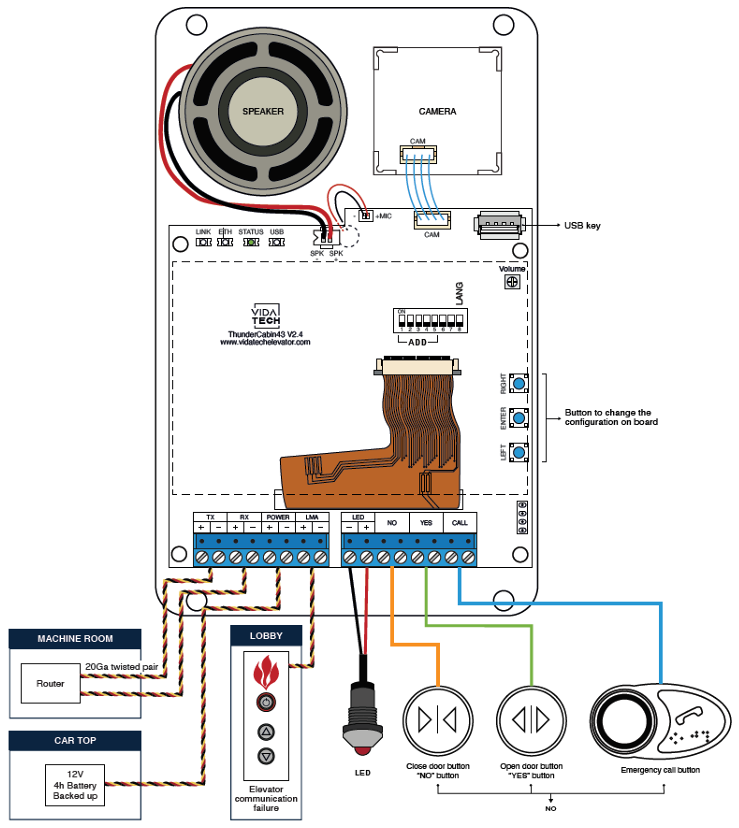
Use the DIP switches on the rear of the TC1582 to configure the primary device settings.
Additional settings are available through the onboard menu, which can be accessed using the Left, Enter, and Right buttons.
Language Dipswitch
Set the LAN DIP switch to OFF to select French. Set the LAN DIP switch to ON to select English.
Emergency Communication
Alarm Source
The TC4360 continuously monitors the emergency communication system for failures.
If a failure occurs, the TC4360 enters an alarm state and activates its LMA output. Once the issue is resolved, the TC4360 returns to its normal state.
The table below lists the alarm sources monitored by the TC4360 and the maximum time required to enter and return from an alarm state.
|
Alarm Source |
Maximum Time to Enter Alarm State |
Maximum Time to Return to Normal State |
|---|---|---|
|
Ethernet Connection Failure (Port 2) |
6 minutes |
6 minutes |
|
Cabin Connection Failure (Port 4) |
1 second |
1 second |