
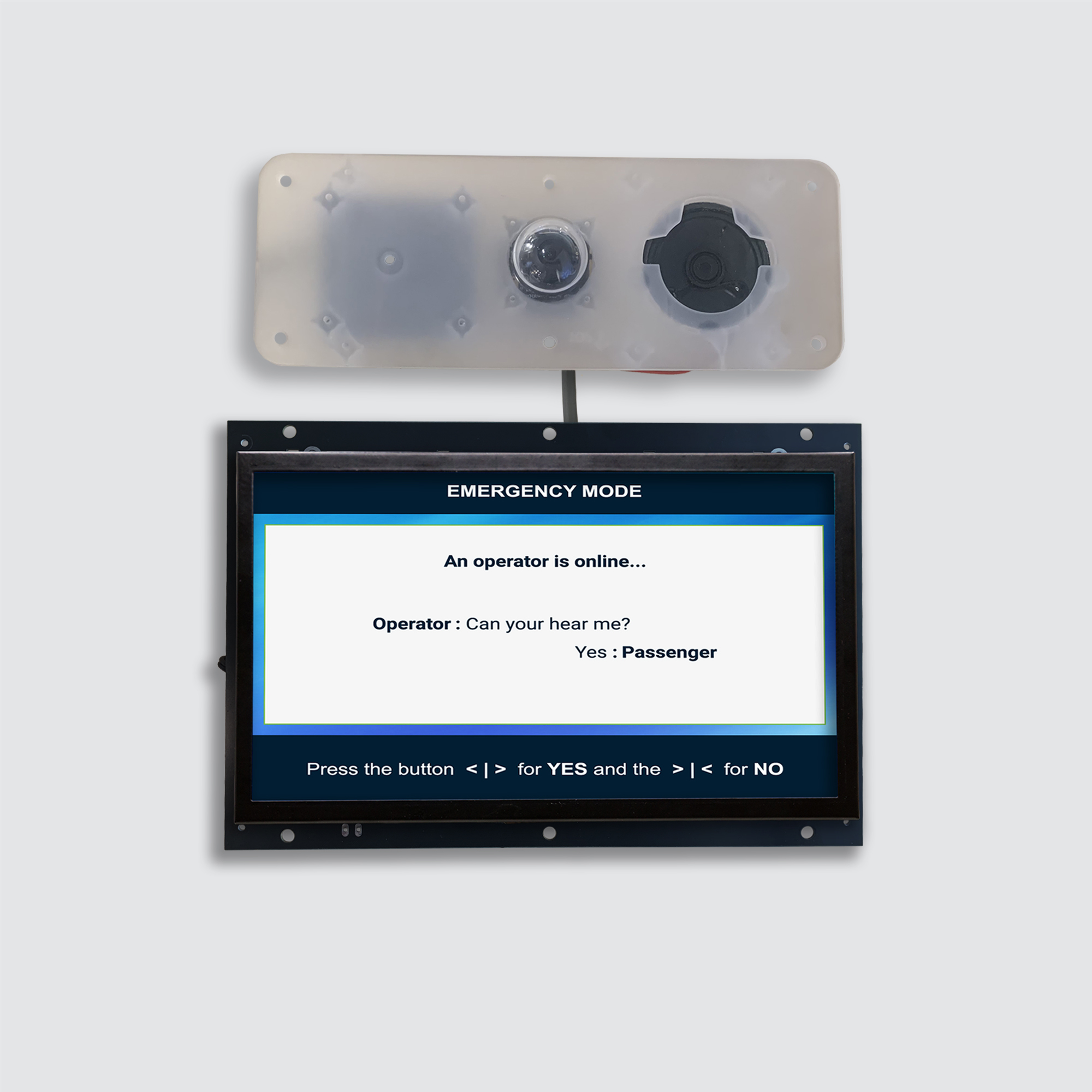
The TC1082 is an integrated elevator emergency communication system designed to support ADA and ASME A17.1/CSA B44 compliance. It combines emergency communication, a position indicator, voice annunciation, and includes space for advertisements in a single device.
Key Features
-
Designed to support ADA and ASME A17.1/CSA B44 compliance.
-
Integrated camera with a wide-angle view of the elevator car.
-
Simplified COP installation using one cable for audio, microphone, and video.
-
Full-duplex VoIP communication.
-
10-inch color LCD.
-
Integrated position indicator.
-
Advertising and announcement display.
-
Voice annunciator.
-
Self-diagnostic functions required by applicable elevator codes.
-
Remote and USB firmware updates.
-
Customizable graphics through the web platform.
-
DIP-switch configuration.
Specifications
|
TC1082 |
|
|---|---|
|
Protocol/Standards |
TCP/IPv4, UDP/IPv4, HTTP, HTTPS/TLS, WebSocket, FTP, SIP RFC3291, SIPS RFC 5630, RTP/RTCP, STUN, SDES-SRTP, NTP, SSH, ICMP, ARP, DHCP, 802.1x |
|
Network Interface |
Dual switched 10Mbps ports |
|
Graphic Display |
TFT-IPS 10in diagonal 217.2 x 135.8mm screen area 1080 x 800 pixels 16 million colors |
|
Alarm Output |
1 Channel/Relay, 30VDC/1A, Normally Open |
|
LED Indicator |
1 LED for CAN status
|
|
Voice Codecs and Capabilities |
PCMU, G.711 μ-law 8 kHz mono, 64 kbits/s payload rate, VAD, AGC |
|
Video Decoders and Capabilities |
H.264, up to 720p at 30 fps, up to 1.5 Mbps |
|
Telephony Features |
1 External SIP account through VidatechStorm 1 Local SIP account |
|
QoS |
Layer 3 DSCP/DiffServ marking: SIP CS3 (24), audio RTP/RTCP EF (46), video RTP/RTCP AF41 (34); other traffic best effort. |
|
Security |
HTTPS/TLS-protected web management; configurable SIP TLS/SIPS and optional SRTP; random temporary administrator setup credentials; password-protected administrator web access; MD5-based SIP/web authentication compatibility; and AES-256-CBC encryption for selected SIP credentials. |
|
Multi-language |
English, French |
|
Upgrade/Provisioning |
Firmware upgrade via FTP, manual upload via USB |
|
Power & Green Energy Efficiency |
2-pin Energy Link input: 54VDC/0.2A
power consumption 10W |
|
Temperature and Humidity |
Operation: 0 - 45 °C Storage: -20°C to 60°C Humidity: 10% to 90% Non-condensing |
|
Dimensions |
Screen: 378.6 x 283.3 x 45.5mm Camera module: 220 x 80 x 27.2mm |
|
Package Contents |
TC1082, quick installation guide, wall mount bracket |
|
Compliance |
ADA
|
|
Elevator Code Compliance |
ASME A17.1-2019
|
|
Wiring |
Energy Link 18/20 AWG Single Twisted Pair (Max 1000m) Canbus |
|
Flash Memory |
1 GB |
|
Speaker |
Speaker 8ohm 2W |
|
Microphone |
Omnidirectional electret condenser |
|
Weight |
6 lb, 2.73Kg |
|
Warranty |
1 year from installation date |
Installation and Wiring Diagram
Installation Manual TC1082.pdf
Back Interface
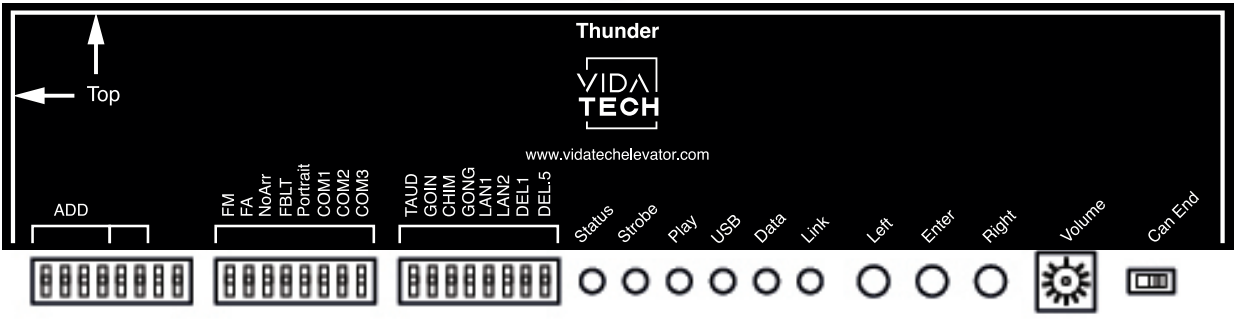
Use the DIP switches on the rear of the TC1082 to configure the primary device settings. Additional settings are available through the onboard menu, which can be accessed using the Left, Enter, and Right buttons.
Device Address
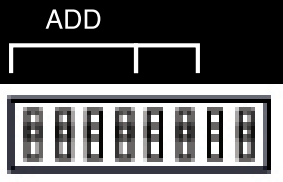
Use DIP switches 1 through 4 to configure the TC1082 device address. Each Thunder emergency phone connected to the same system must have a unique device address.
The device address identifies the TC1082 on the Thunder communication network. Do not confuse it with the floor address, which identifies the elevator floor represented by the position indicator.
DIP switches 5 through 8 are not used.
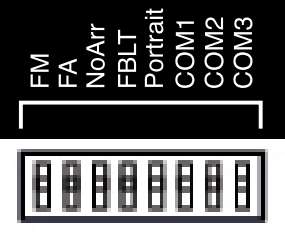
Position Indicator Dipswitch
|
Dipswitch # |
Name |
Description |
|||||
|---|---|---|---|---|---|---|---|
|
1 |
FM |
ON -> Blank the display in fire mode |
|||||
|
2 |
FA |
ON -> Blank the display in fire alternate mode |
|||||
|
3 |
NoArr |
ON -> Blank the travel arrow up and down |
|||||
|
4 |
FBLT |
ON -> 100% backlight intensity OFF -> 80% backlight intensity (Backlight life enhanced) |
|||||
|
5 |
Portrait |
ON -> Set the display in portrait orientation OFF -> Set the display in landscape orientation |
|||||
|
Elevator controller communication |
JRT |
GAL |
Elevator Controls |
Smartrise |
TKE |
Alpha Elevator Control |
|
|
6 |
COM1 |
⚫ |
|
⚫ |
|
⚫ |
|
|
7 |
COM2 |
|
⚫ |
⚫ |
|
|
⚫ |
|
8 |
COM3 |
|
|
|
⚫ |
⚫ |
⚫ |
Additional position-indicator settings and advanced features are available through the onboard menu.
Voice Annunciator Dipswitch
|
Dipswitch # |
Name |
Description |
|
|
|
|---|---|---|---|---|---|
|
1 |
TAUD |
ON -> Play all audio files saved in memory |
|||
|
2 |
GOIN |
ON -> Going Up/Down active |
|||
|
3 |
CHIM |
ON -> Passing chime active |
|||
|
4 |
GONG |
ON -> Cabin gong active |
|||
|
Language |
French |
English |
1 - French 2 - English |
1 - English 2 - French |
|
|
5 |
LAN1 |
|
⚫ |
|
⚫ |
|
6 |
LAN2 |
|
|
⚫ |
⚫ |
|
7 |
DEL1 |
ON -> Add 1 second of silence after the strobe |
|||
|
8 |
DEL.5 |
ON -> Add 0.5 second of silence after the strobe |
|||
-
Play Test option (TAUD): The device plays each voice file saved in the system in a continuous loop and displays the ASCII code associated with the file currently playing.
-
Going Option (GOIN): The device plays the file associated with “Going Up” or “Going Down” when STRB and Arrival Up or Arrival Down are asserted.
-
Chime Option (CHIM): The device plays the file associated with “CHIME” each time the floor changes.
-
Gong Option (GONG): The device plays the file associated with “Gong Up” or “Gong Down” when Arrival Up or Arrival Down is asserted.
LED Interface
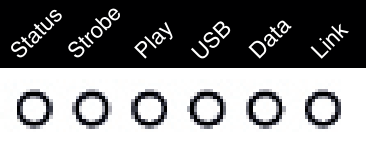
Status LED
The Status LED indicates the state of communication between the TC1582 and the elevator controller.
|
Status LED |
Description |
|---|---|
|
Steady ON |
No communication with the elevator controller |
|
Fast blinking |
Communication is active and no error is detected |
|
Slow blinking |
A system or communication error is present |
Strobe LED
The Strobe LED turns on when the TC1582 receives an active strobe signal from the elevator controller.
Play LED
The Play LED turns on while an audio file is playing. Use this LED when diagnosing voice-annunciator playback issues.
USB LED
The USB LED blinks while a connected USB flash drive is transferring data. Do not disconnect the USB flash drive while this LED is blinking.