
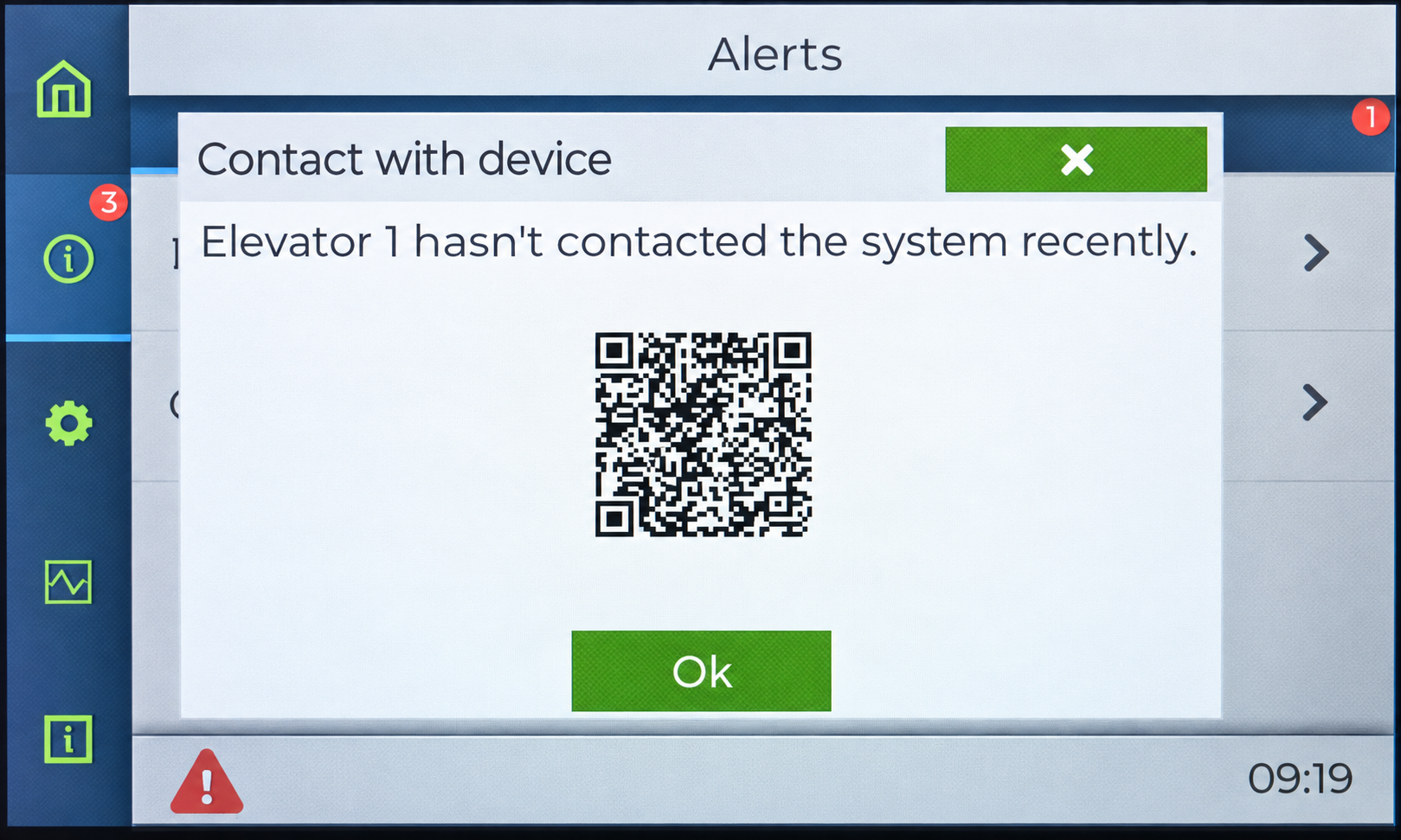
The No Recent Contact error indicates that a Thunder Phone has not communicated with the Thunder Supervisor recently. The supervisor monitors the devices in the building configuration and reports this error when it no longer receives contact from an expected device.
Before troubleshooting: Verify that the device's physical address is correct. Each device of the same model must have a unique physical address. If an address was changed during commissioning, an obsolete device entry may remain in the supervisor's building configuration.
Step 1 — Identify the device
-
On the supervisor touchscreen, open Alerts and identify the Thunder Phone showing No Recent Contact.
-
Record the device name, model, and location. Determine whether the device is expected to be part of the current installation.
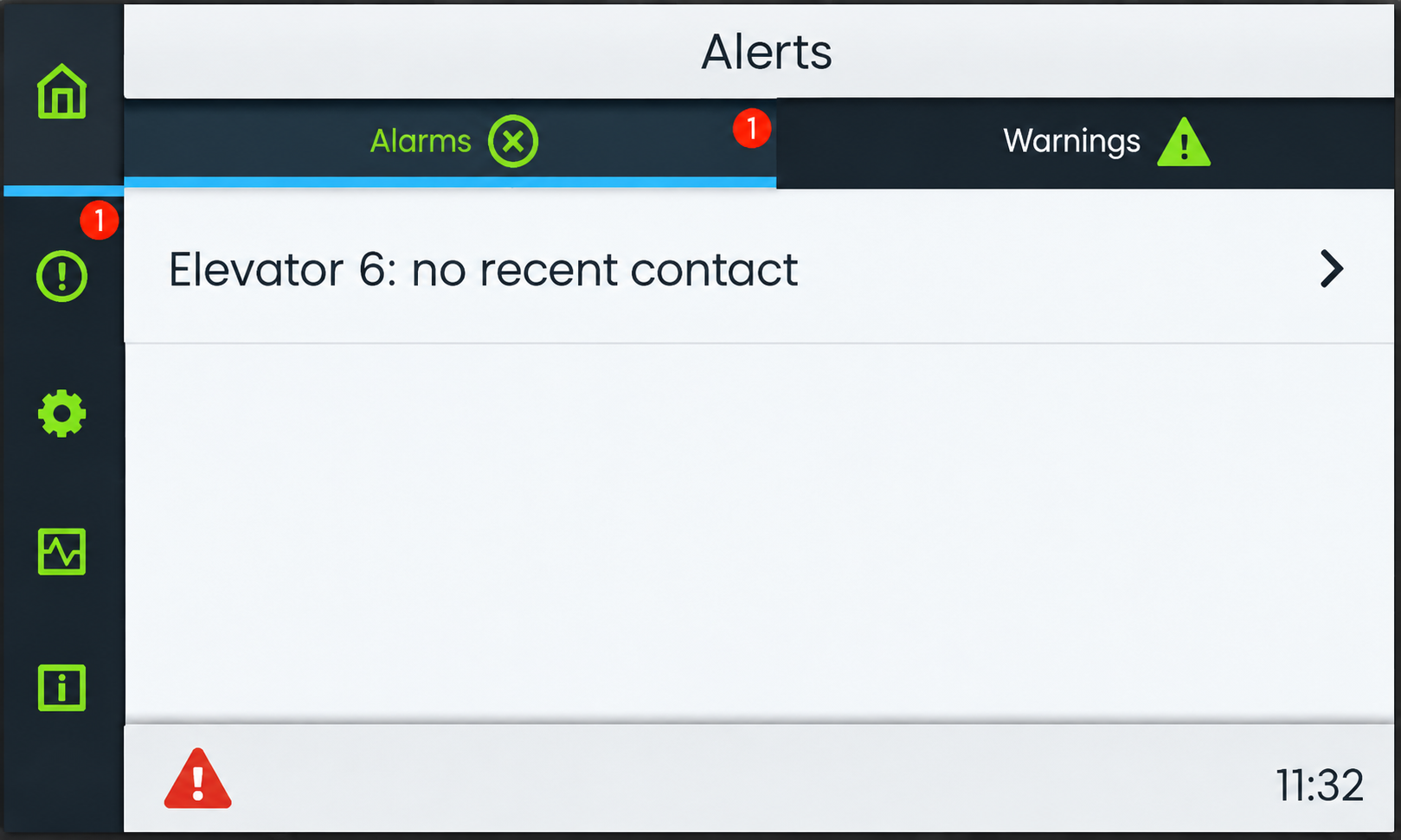
Step 2 — Confirm that the device belongs to the system
During commissioning, a device may be discovered with an incorrect physical address. If its address is subsequently changed, the original device entry can remain in the building configuration and generate a No Recent Contact alert, even though the correctly addressed device is communicating.
-
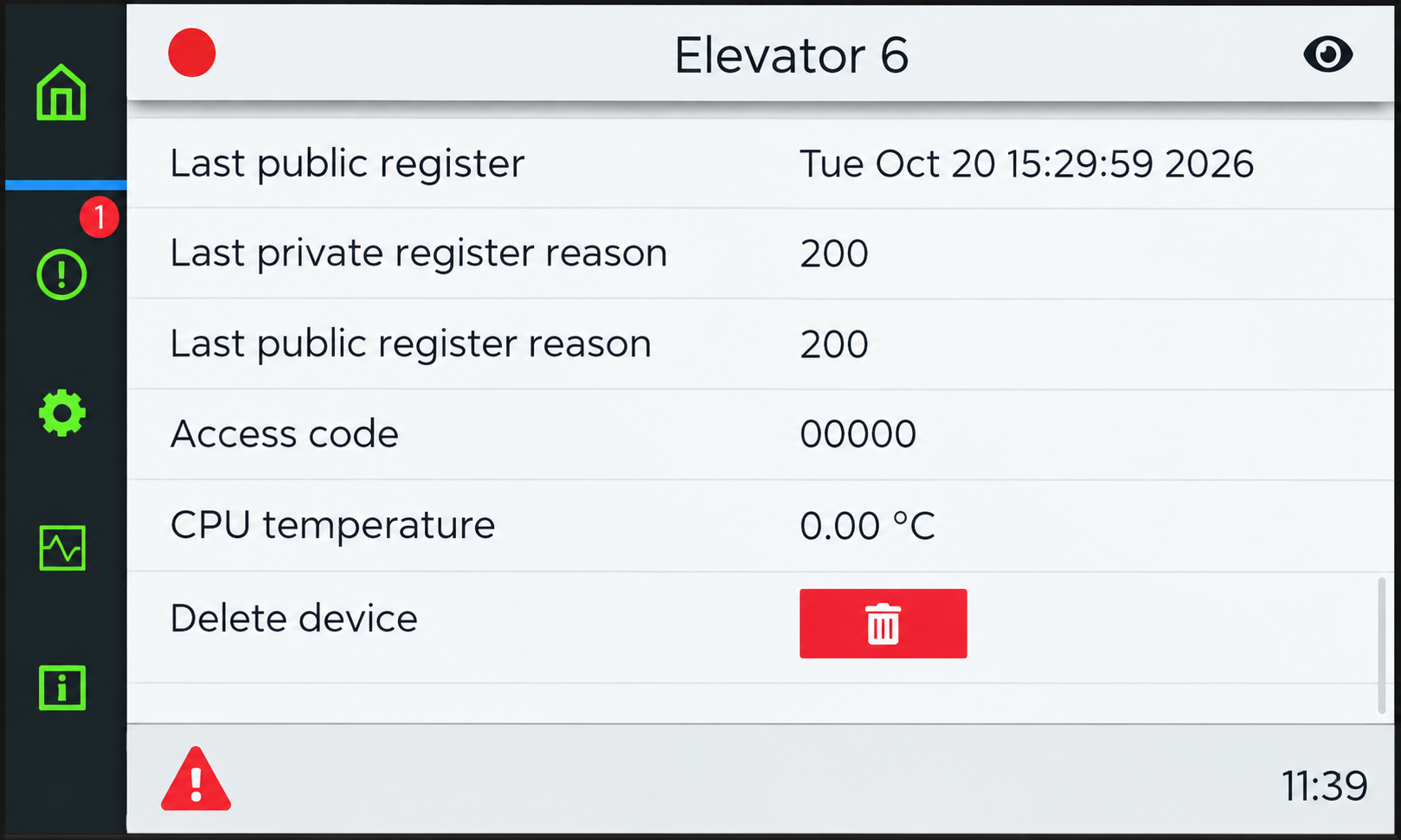
Open the device's information page on the supervisor and verify its identity against the installed equipment.
-
If the device entry is obsolete or the device is no longer part of the installation: Confirm that it is not needed, then use Delete device to remove that obsolete entry from the building configuration. Do not delete a required device to suppress an active communication fault.
-
If the device should be present: Keep it in the configuration and continue with Step 3.
Step 3 — Check power to the affected device
-
Locate the affected Thunder Phone and check whether it powers on normally.
-
Inspect the relevant power connections and indicators on the device and its supervisor or gateway.
-
If the device is not receiving power, correct the power issue before proceeding. Follow the relevant product installation instructions.
Step 4 — Check wiring and communication
-
Inspect the cable and connectors between the affected Thunder Phone and its supervisor or gateway. Look for loose, damaged, or disconnected wiring.
-
For a Low-Rise system, verify the connections to the TG1132 or TG1164 supervisor. See Low-Rise Installation and Wiring.
-
For a High-Rise system, verify the connections to the correct TG1232 or TG1264 gateway, including the applicable ELL, ELH, and shield wiring. See High-Rise Installation and Wiring.
-
Confirm that the configured physical address matches the device. After changing a Thunder Phone's physical address, power-cycle the phone and verify it again using Device Discovery.
Step 5 — Confirm that communication is restored
-
Return to the supervisor's device list and confirm that the affected Thunder Phone is communicating and displaying a normal status.
-
Open Alerts and confirm that No Recent Contact has cleared.
-
Perform the applicable emergency communication functional checks before returning the system to service.