
This test indicates that the Thunder Emergency Phone failed to register with the private PBX. A private PBX is used to make local calls, for example, from a Thunder Emergency Cabin Phone to a Thunder Emergency Desktop Phone.
The private PBX server is located in the Supervisor.
Follow the steps below to troubleshoot this problem.
-
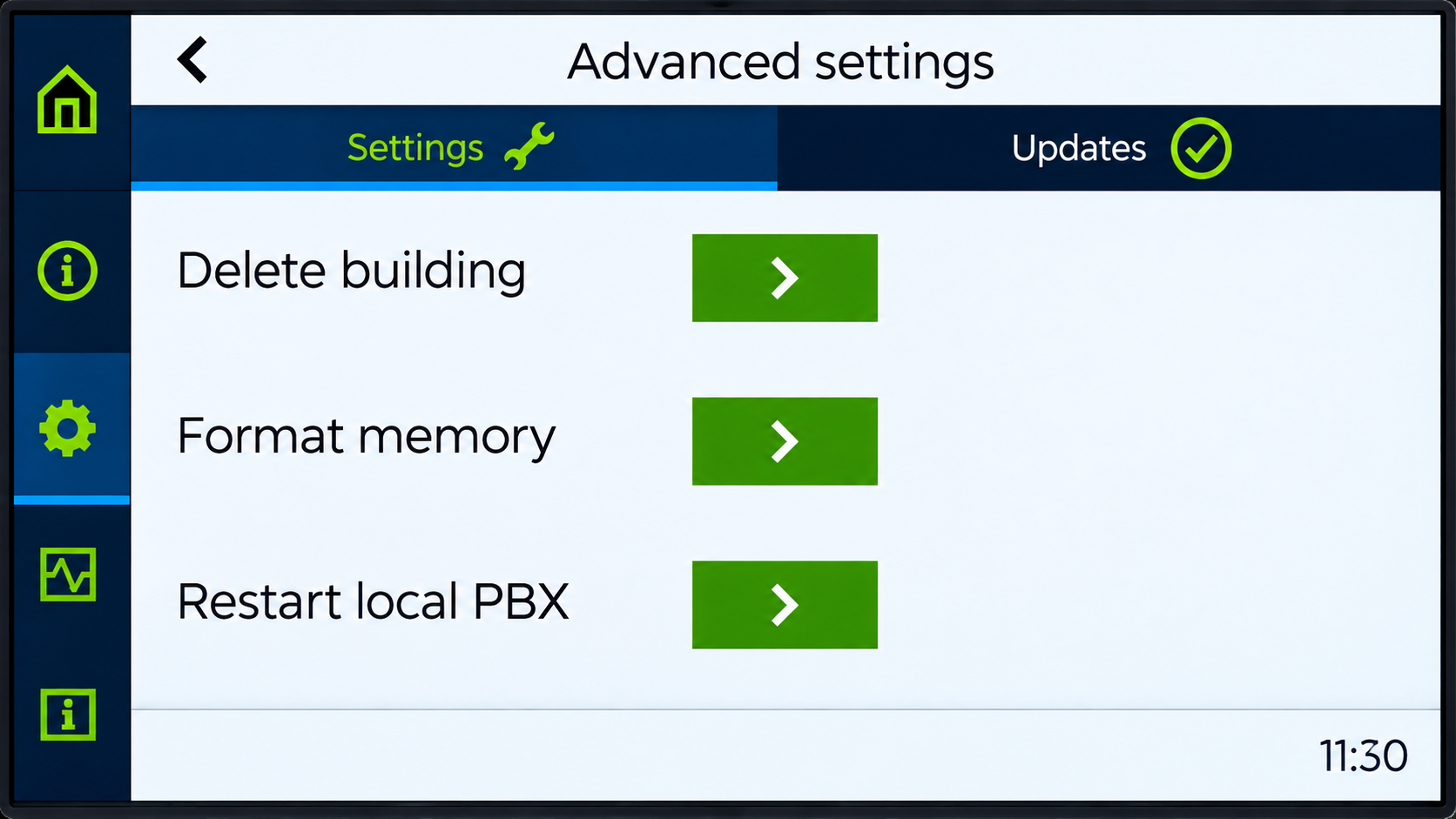
On the Supervisor, navigate to Settings > Advanced Settings.
-
Select Restart local PBX.
-
Restart the Thunder Emergency Phone.
-
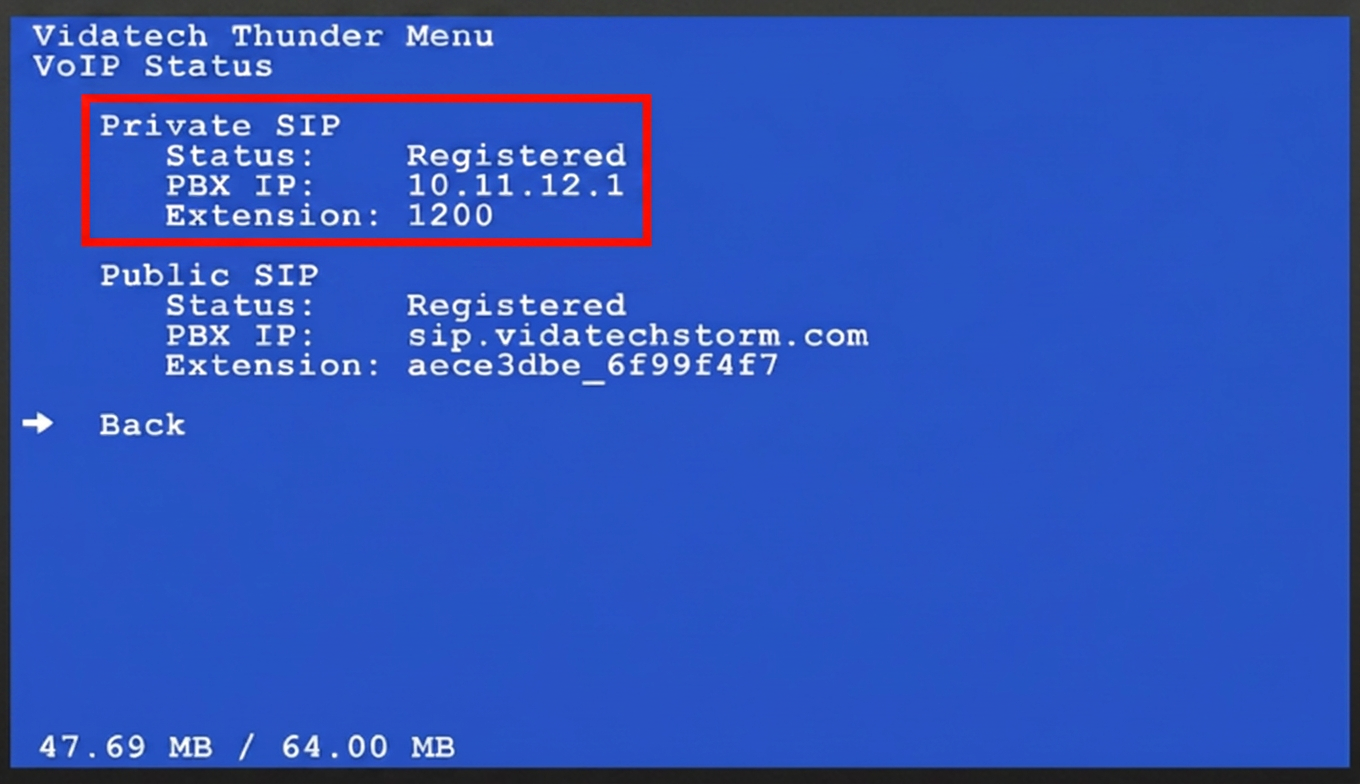
On the Thunder Emergency Cabin Phone, verify that the phone has a private SIP account. Navigate to Status > VoIP Status.
-
If the account shows Not Registered, verify that the SIP account (extension) is valid.
-
-
Verify that the Supervisor has an active local SIP account.
If the issue persists, contact Vidatech Technical Support.